

Accountants across Australia face a clear challenge: without a professional website, potential clients simply can't find you. Your expertise in tax planning, bookkeeping, and compliance means nothing if local businesses searching online choose a competitor with a polished web presence instead. Building an effective accountant website doesn't require a massive budget or technical expertise. With the right preparation, a WordPress template, and smart local SEO tactics, you can create a site that attracts enquiries, showcases your services, and positions your firm as the trusted choice in your area.
Table of Contents
- Key takeaways
- What you need to prepare before building your accountant website
- Step-by-step guide to building your accountant website using WordPress
- Optimising your website for local SEO to attract Australian clients
- Common mistakes to avoid and how to maintain your accountant website
- How Troov Marketing can help you build and grow your accountant website
- How much does it typically cost to build an accountant website?
Key Takeaways
| Point | Details |
|---|---|
| DIY WordPress templates | Using ready made WordPress templates lets you set up a professional site quickly without heavy coding. |
| Local SEO impact | Local search drives a large share of enquiries and should guide page content and strategy. |
| Professional design matters | Professional design and clear credibility signals help win trust and attract new clients for larger firms. |
| Trust signals matter | Displaying ABN and CPA credentials plus client testimonials reassures visitors your practice is legitimate and capable. |
What you need to prepare before building your accountant website
Before launching into WordPress, gather your essentials. Start with a domain name that clearly signals your services and location. Choose something like yourfirmname.com.au or melbourneaccounting.com.au. Pair this with reliable Australian hosting. Providers like VentraIP or Panthur offer local servers that improve load times for your target audience.
Next, select a WordPress theme designed for professional services. The Chartered Accountant theme and similar templates provide pre-built layouts that reduce setup time to 15 minutes, letting you focus on content rather than design. These themes include service pages, contact forms, and testimonial sections out of the box.
You'll need plugins to extend functionality. Yoast SEO helps optimise every page for search engines. WPForms creates contact and enquiry forms that capture leads. If you use Xero or MYOB, install integration plugins that sync invoices and client data directly to your site. This automation saves hours each week and improves the client experience.
Pro Tip: Before writing any content, map out your core service pages. List every service you offer, from tax returns to business advisory, and draft a one-sentence description for each. This clarity speeds up the build process and ensures nothing gets overlooked.
Prepare your content assets now. Write brief descriptions for each service, gather client testimonials, and take professional headshots of your team. Have your ABN, CPA registration details, and any industry memberships ready to display. These trust signals reassure visitors that you're legitimate and qualified.
| Tool/software | Purpose | Pros | Cons |
|---|---|---|---|
| WordPress + Chartered Accountant theme | Website platform and design | Free, fast setup, customisable | Requires basic tech skills |
| Yoast SEO plugin | On-page optimisation | Guides keyword use, readability | Premium features cost extra |
| WPForms | Lead capture forms | Drag-and-drop builder, spam protection | Free version limits fields |
| Xero/MYOB integration plugins | Accounting software sync | Automates invoicing, client onboarding | May require paid plugin |
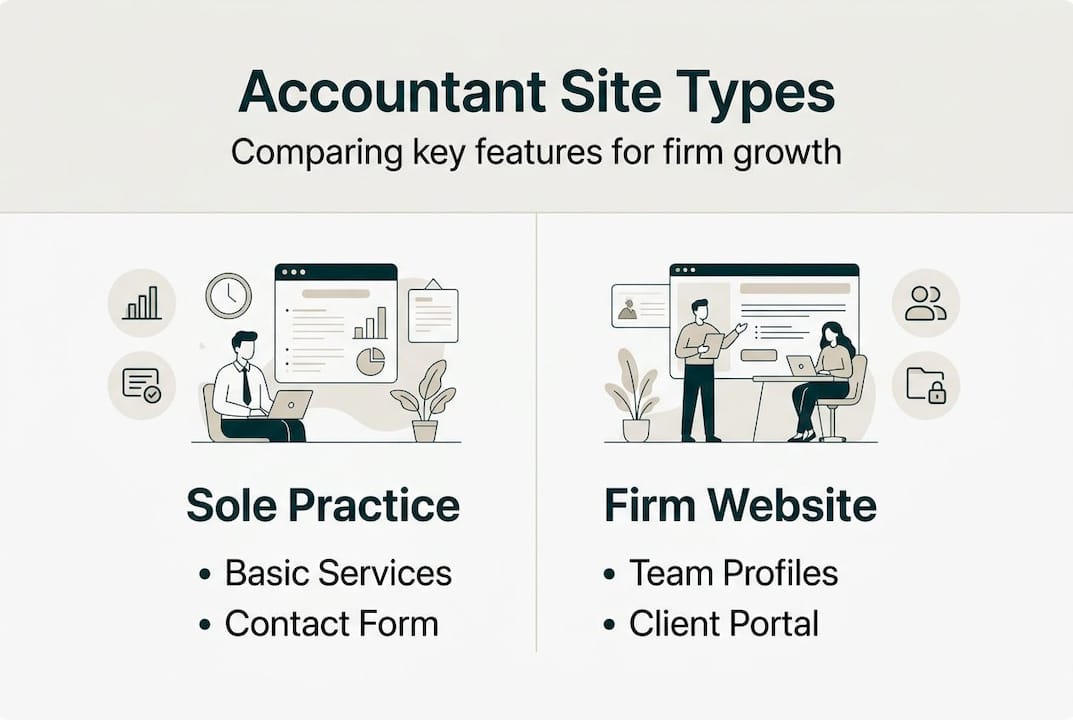
Understanding different types of accounting websites helps you decide which features matter most. A sole practitioner needs a simple five-page site. A mid-sized firm with multiple specialisations benefits from a blog, resource library, and detailed service breakdowns. Define your scope early to avoid feature creep.
Step-by-step guide to building your accountant website using WordPress
Start by installing WordPress through your hosting provider's control panel. Most Australian hosts offer one-click installation. Once WordPress is live, navigate to Appearance > Themes and upload your chosen accounting theme. Activate it and you'll see a default layout with placeholder content.
Customise your branding next. Go to Appearance > Customise to upload your logo, choose brand colours, and set fonts. Keep your palette professional. Blues and greys convey trust. Avoid loud colours that undermine credibility. Update the site title and tagline to reflect your firm's name and core value proposition.

Install essential plugins from the WordPress repository. Add Yoast SEO, WPForms, and any Xero or MYOB connectors you need. Tutorials walk through template configuration in 15 minutes, covering plugin setup and basic customisation. Activate each plugin and run through their setup wizards.
Now create your core pages. Start with a homepage that explains who you help and what problems you solve. Add an About page detailing your qualifications, experience, and team. Build individual service pages for tax preparation, bookkeeping, business advisory, and any niche offerings like SMSF management. Each page should include a clear call to action. Use phrases like "Book a free consultation" or "Get your tax sorted today" to guide visitors toward enquiry. Check out these call-to-action examples that convert for proven templates.
Set up your contact and enquiry forms using WPForms. Create a simple form with fields for name, email, phone, and a message box. Add this form to your Contact page and embed shorter versions in service page sidebars. Enable email notifications so you receive alerts whenever someone submits an enquiry.
Pro Tip: Before publishing, preview your site on mobile. Over 60% of local searches happen on smartphones. If text is too small or buttons are hard to tap, visitors will leave. WordPress themes are usually responsive, but always verify.
Finally, populate your site with real content. Replace placeholder text with your service descriptions, add client testimonials, and upload team photos. Write a brief bio for each accountant highlighting their qualifications and specialisations. Publish your site and test every form, link, and page to ensure everything works smoothly.
Optimising your website for local SEO to attract Australian clients
Local SEO determines whether accountants in your area find you or your competitors. Nearly 46% of accounting-related searches have local intent, meaning people type queries like "accountant near me" or "Melbourne tax agent". Optimising for these searches puts your firm in front of ready-to-buy clients.
Start with your Google Business Profile. Claim your listing, fill out every field, and upload high-quality photos of your office and team. Choose the correct business category: "Accountant" or "Tax Consultant". Add your service area by listing suburbs you serve. This signals to Google that you're relevant for searches in those locations. Follow this Google Business Profile optimisation guide for a complete walkthrough.
Gather client reviews actively. After completing a tax return or advisory project, send a polite email asking satisfied clients to leave a Google review. Respond to every review, positive or negative, to show you value feedback. Reviews boost your local ranking and build trust with prospective clients reading your profile.
Use city-specific and service keywords throughout your website. Instead of generic phrases like "accounting services", write "tax preparation in Richmond" or "bookkeeping for Melbourne startups". Sprinkle these naturally into page titles, headings, and body text. Yoast SEO helps you track keyword density and readability.
| Approach | Best for | Key tactics | Time to results |
|---|---|---|---|
| Organic SEO | Long-term visibility | Blog content, backlinks, technical optimisation | 6-12 months |
| Local SEO | Nearby client acquisition | Google Business Profile, city keywords, reviews | 2-4 months |
Organic SEO builds authority over time through blog posts and backlinks. Local SEO delivers faster wins by targeting geographically specific searches. For accountants, local SEO should be your priority. You want clients within driving distance, not across the country.
Manage your citations consistently. List your firm on CPA Australia, local business directories, and industry-specific platforms. Ensure your name, address, and phone number match exactly across every listing. Inconsistent details confuse Google and hurt your ranking. Learn more about SEO for small businesses in Melbourne to refine your approach.
Pro Tip: Create a dedicated page for each suburb or region you serve. Write unique content for each location, mentioning local landmarks or business districts. This hyper-local strategy captures searches from clients in those specific areas.
Common mistakes to avoid and how to maintain your accountant website
Many accountants launch a website and never update it. Tax laws change, service offerings evolve, and outdated content damages credibility. Schedule quarterly reviews to refresh your site. Update tax brackets, compliance deadlines, and any regulatory changes that affect your clients.
Mobile responsiveness is non-negotiable. If your site doesn't load properly on smartphones, you lose half your potential clients. Test your site on multiple devices and browsers. Fix any layout issues immediately. Page speed matters too. Compress images, enable caching, and use a content delivery network if needed. Slow sites frustrate visitors and rank lower in search results.
Privacy Act compliance is critical for accountants handling sensitive financial data. Display a clear privacy policy explaining how you collect, store, and protect client information. Use SSL certificates to encrypt data transmitted through contact forms. Non-compliance risks fines and reputational damage.
"High-compliance needs like Privacy Act requirements favour professional designs that embed security and legal safeguards from the start."
Decide whether to handle maintenance yourself or hire help. DIY updates work if you're comfortable with WordPress and have time. Professional maintenance plans cost $100-$300 monthly but include backups, security monitoring, and plugin updates. For busy accountants, outsourcing maintenance frees you to focus on client work.
Avoid these common pitfalls:
- Neglecting to back up your site regularly
- Ignoring plugin updates that patch security vulnerabilities
- Using weak passwords that invite hacking attempts
- Forgetting to renew your domain or hosting annually
- Overloading pages with jargon that confuses potential clients
If you're new to SEO, start with this plain-English guide for complete beginners. It breaks down technical concepts into actionable steps you can implement immediately.
How Troov Marketing can help you build and grow your accountant website
Building your own website works well for solo practitioners and small teams. But if you want a custom design, advanced features, or hands-off maintenance, Troov Marketing delivers exactly that. We specialise in websites for professional services across Melbourne, including accountants who need fast, SEO-ready sites that convert visitors into clients.
Our small business web design service focuses on mobile performance, clear calls to action, and local SEO integration from day one. We handle everything from branding and layout to plugin configuration and content creation. You get a site that looks professional, loads quickly, and ranks well without lifting a finger.
We also offer ongoing local SEO support. This includes Google Business Profile optimisation, review management, and suburb-specific keyword strategies that put your firm in front of nearby clients. Our ultimate website checklist ensures nothing gets missed during launch.
If you prefer to build your site yourself but want expert guidance, we provide consulting and training. We'll walk you through WordPress setup, recommend the best plugins, and show you how to optimise every page for search engines. Contact us to discuss your needs and find the right solution for your firm.
How much does it typically cost to build an accountant website?
Costs vary widely depending on your approach. A DIY WordPress build using a free theme costs $50-$150 annually for hosting and domain registration. Premium themes add $50-$100 upfront. Budget another $100-$300 yearly for essential plugins like premium forms or SEO tools.
Professional builds start around $2,000 for a basic five-page site and climb to $5,000-$10,000 for custom designs with advanced features like client portals or CRM integration. Agencies charge more but deliver compliance-ready sites that meet Privacy Act requirements and include ongoing support. SEO investments range from $500-$2,000 monthly depending on competition and goals. Local SEO typically costs less than national campaigns. Learn more about SEO pricing for small businesses to set realistic budgets.
Can I integrate my accounting software like Xero or MYOB into my website?
Yes, many WordPress plugins support Xero and MYOB integration. These tools sync invoices, client data, and payment processing directly to your site. Integration improves client onboarding by letting them view invoices, make payments, and upload documents through your website. Setup usually requires API keys from your accounting software and basic plugin configuration. Most integrations work seamlessly once configured.
What are the most effective local SEO strategies for accountants in Australia?
Optimise your Google Business Profile with complete information, high-quality photos, and regular posts. Use city-specific keywords like "accountant in Carlton" throughout your website content. Gather client reviews consistently and respond to every review promptly. List your firm on local directories and ensure your name, address, and phone number match everywhere. Create suburb-specific landing pages to capture hyper-local searches. This Google Business Profile optimisation guide covers advanced tactics.
Is it better for small accountant firms to build their own website or hire an agency?
DIY is cost-effective and fast for solo practitioners or small teams comfortable with technology. WordPress templates deliver professional results in hours, not weeks. Agencies suit firms needing custom branding, advanced features, or compliance-heavy projects. If you lack time or technical skills, outsourcing ensures a polished site without the learning curve. Consider choosing the right type of accounting website based on your firm's size, budget, and growth goals.