

Many property websites in Melbourne lose over half their visitors because they load too slowly or lack local SEO. If your site takes longer than three seconds to appear, potential clients leave before seeing your listings. This guide walks you through building a high-converting property website tailored for Melbourne small businesses, covering everything from local search optimization to mobile design and conversion tactics that drive real enquiries.
Table of Contents
- Prerequisites: What You Need Before Starting
- Step 1: Plan Your Website Structure And Features
- Step 2: Local SEO Implementation
- Step 3: Mobile Responsiveness And Speed Optimization
- Step 4: User Experience Design For Property Websites
- Step 5: Conversion Optimization
- Common Mistakes And Troubleshooting
- Project Timelines, Costs, And Expected Outcomes
- Post-Launch SEO And Ongoing Website Maintenance
- Professional Website Design & SEO Services For Melbourne Property Businesses
- FAQs On Designing Property Websites For Melbourne Small Businesses
Key Takeaways
| Point | Details |
|---|---|
| Preparation is Essential | Gather business info, understand Melbourne suburbs, and set up tools like Google Business Profile before starting design. |
| Local SEO Drives Visibility | Optimize NAP details, location pages, and Google Business Profile to increase local search rankings by over 50%. |
| Speed and Mobile Matter | Over 50% of users abandon sites loading slower than 3 seconds, making mobile responsiveness critical. |
| Clear CTAs Convert Visitors | Strategic calls-to-action and simple enquiry forms help exceed the 4.7% average property website conversion rate. |
| Ongoing SEO Sustains Growth | Regular content updates and technical maintenance can boost organic traffic by 15-25% within 6 months. |
Prerequisites: What You Need Before Starting
Before you open any design tool, gather your core business assets. You need a professional logo, accurate contact details, and a clear list of property listings or services you offer. Without these basics, your website will feel incomplete and unprofessional to visitors.
Next, research your local market. Identify which Melbourne suburbs you serve and who your direct competitors are. Look at their websites to understand what works and what gaps you can fill. This competitive insight shapes your site structure and messaging.
Choose your website platform early. WordPress remains the most flexible option for property businesses, offering plugins for listings, SEO, and lead capture. Pair this with a Google Business Profile to control how your business appears in local search results and Google Maps. Both tools work together to amplify your online presence.
Finally, invest time learning basic SEO and digital marketing principles. You do not need to become an expert, but understanding how search engines rank local businesses helps you make smarter design decisions. Focus on keywords Melbourne property buyers actually search for, like "property management Toorak" or "rental listings Carlton."
Pro Tip: Create a spreadsheet listing every Melbourne suburb you serve, along with three unique selling points for each area. This becomes your content roadmap for location landing pages.
| Essential Tool | Purpose | Example |
|---|---|---|
| Website Builder | Create and manage site structure | WordPress, Squarespace |
| Google Business Profile | Control local search appearance | Free Google listing |
| Analytics Platform | Track visitor behavior and conversions | Google Analytics |
| Image Optimization Tool | Compress photos for fast loading | TinyPNG, Squoosh |
Step 1: Plan Your Website Structure and Features
Your site architecture determines how easily visitors find what they need. Start by creating dedicated pages for each service you offer, such as property sales, rentals, or management. Then build separate landing pages for every Melbourne suburb you serve, like Fitzroy, South Yarra, or Richmond. Each location page should target specific local keywords and showcase relevant properties.
Add search and filter functionality to your property listings. Visitors want to narrow results by price, bedrooms, location, and property type without clicking through dozens of pages. Property websites with clear, user-friendly search functions improve visitor engagement and average session duration by 25%. This keeps potential clients on your site longer, increasing the chance they submit an enquiry.
Place calls-to-action prominently on every key page. Your homepage, service pages, and property listings should all include buttons or forms inviting visitors to "Request a Valuation," "Book an Inspection," or "Get in Touch." Position these CTAs above the fold and repeat them strategically throughout longer pages.
Plan intuitive navigation menus that guide visitors logically through your site. A simple top menu might include Home, Services, Suburbs, Listings, About, and Contact. Avoid burying important pages three clicks deep. The easier you make the journey, the more enquiries you will receive. For more guidance, explore website design and local SEO tips tailored for Melbourne businesses.
Pro Tip: Draw a simple sitemap on paper before building anything. Map out every page and how they connect. This visual plan prevents structural mistakes that are costly to fix later.
Step 2: Local SEO Implementation
Local SEO starts with consistent Name, Address, and Phone (NAP) details across your entire website. Display this information in your footer, contact page, and every location landing page. Search engines use NAP consistency to verify your business legitimacy and improve local rankings.

Optimize your Google Business Profile next. Optimizing Google Business Profile and location pages increases your likelihood of appearing in Google Map Pack results by over 50%. Complete every profile section, add high-quality photos of your office and team, and regularly post updates about new listings or market insights. Link directly from your profile to relevant website pages to drive qualified traffic.
Create dedicated landing pages for each Melbourne suburb you serve. These pages should include local keywords naturally within headings, body text, and meta descriptions. For example, a page targeting Hawthorn might discuss "property management services in Hawthorn" and "Hawthorn rental market trends." Add local content like suburb profiles, school information, and transport links to make pages genuinely useful. Melbourne has a competitive local SEO landscape requiring targeted optimization for small businesses to stand out.
Implement structured data markup (schema) on property listings and your business information. This code helps search engines understand your content better, potentially earning you rich snippets in search results that display ratings, prices, or availability directly on Google. For foundational knowledge, review SEO basics or connect with local SEO services for professional implementation.
| Local SEO Element | Action Required | Impact |
|---|---|---|
| NAP Consistency | Display identical contact info on all pages | Builds search engine trust |
| Google Business Profile | Complete profile, add photos, post updates | Increases Map Pack visibility by 50%+ |
| Suburb Landing Pages | Create pages targeting local keywords | Captures geo-specific search traffic |
| Schema Markup | Add structured data to listings | Enhances search result appearance |
Step 3: Mobile Responsiveness and Speed Optimization
Mobile devices account for the majority of property searches in Melbourne. Your website must adapt seamlessly to every screen size, from smartphones to tablets to desktops. Use responsive design frameworks that automatically adjust layouts, images, and navigation based on the device viewing your site.
Page speed directly affects whether visitors stay or leave. Over 50% of users abandon property websites that load slower than 3 seconds. Compress all images before uploading them, aiming for file sizes under 200KB without sacrificing visual quality. Minimize CSS and JavaScript code, removing unnecessary plugins or scripts that slow load times.
Monitor your Core Web Vitals through Google Search Console. These metrics measure loading performance, interactivity, and visual stability. Neglecting Core Web Vitals can cause up to 20% loss in site traffic due to poorer Google rankings. Address issues immediately when they appear, focusing on Largest Contentful Paint (LCP), First Input Delay (FID), and Cumulative Layout Shift (CLS).
"Fast websites do not just improve user experience. They directly boost search rankings and conversion rates, making speed optimization one of the highest ROI improvements you can make."
Test your site regularly on real mobile devices, not just desktop browser simulators. Check that buttons are large enough to tap easily, text remains readable without zooming, and forms work smoothly. Small usability issues on mobile cost you enquiries every day they go unfixed. Learn about common website mistakes and apply proven mobile design tips to avoid performance problems.
Pro Tip: Use Google PageSpeed Insights weekly to identify specific speed issues. The tool provides actionable recommendations ranked by impact, helping you prioritize fixes that deliver the biggest performance gains.
Step 4: User Experience Design for Property Websites
Clean, uncluttered layouts help visitors focus on what matters: your properties. Use plenty of white space around images and text. Feature high-quality photos prominently, showing properties from multiple angles in natural light. Avoid cramming too much information onto a single page, which overwhelms visitors and increases bounce rates.
Provide search filters tailored to how property seekers actually browse. Common filters include price range, number of bedrooms, property type (house, apartment, townhouse), and location. Clear, user-friendly search and filter options improve average session duration by 25%, keeping visitors engaged longer and increasing enquiry likelihood.
Make contact options impossible to miss. Display your phone number in the header of every page. Add a floating contact button that remains visible as visitors scroll. Place enquiry forms directly on property listing pages, not hidden behind multiple clicks. The fewer barriers between interest and contact, the higher your conversion rate climbs.
Build trust through social proof. Add testimonials from satisfied clients on your homepage and service pages. Display reviews prominently, ideally with client names and suburbs (with permission). Include certifications, industry memberships, or awards that demonstrate your expertise and reliability in the Melbourne property market. For additional strategies, explore user experience tips specific to local businesses.
Pro Tip: Ask your best clients for video testimonials. Short 30-second clips where satisfied customers describe their experience build far more trust than text alone and significantly boost conversion rates.
Stat: Websites featuring client testimonials and trust signals see conversion rate increases averaging 15-20% compared to sites without social proof.
Step 5: Conversion Optimization
Every page needs a clear next step. Place highly visible and persuasive calls-to-action throughout your site, using action-oriented language like "Book Your Free Valuation" or "View Available Properties Now." Buttons should stand out visually through contrasting colors while maintaining your brand aesthetic.
Simplify your enquiry forms ruthlessly. Each additional field you require decreases submission rates. Stick to essential information: name, email, phone number, and a brief message. You can gather additional details during follow-up conversations after the initial contact is made.
Use website analytics to identify where visitors drop off. Google Analytics shows which pages have high exit rates, indicating problems that need fixing. If many visitors leave your listings page without enquiring, test different CTA placements, simpler forms, or more compelling copy. Make data-driven improvements rather than guessing what might work.
Property websites average a 4.7% conversion rate, with organic search conversions at 3.2%. Effective SEO and UX can help you exceed this benchmark. Set a goal to reach 5% or higher through continuous testing and optimization. Even small improvements compound over time, generating significantly more leads.
- Identify your current conversion rate by dividing monthly enquiries by total visitors.
- Choose one element to test, such as CTA button color, form length, or headline copy.
- Run the test for at least two weeks to gather meaningful data.
- Implement the winning variation and select your next test element.
- Repeat this cycle monthly to steadily improve conversion performance.
For proven tactics, review call-to-action optimization techniques that drive measurable results for small businesses.
Common Mistakes and Troubleshooting
Many property websites fail to include complete NAP information on every page, confusing search engines and potential clients. Always display your business name, full address, and phone number consistently across your site. Create individual location pages for each Melbourne suburb you serve rather than listing everything on a single generic service page.
Mobile responsiveness issues remain surprisingly common. Your site might look perfect on your desktop computer but break on smartphones. Test every page on multiple devices before launch and quarterly afterward. Buttons that are too small to tap, text that requires zooming, or horizontal scrolling all signal poor mobile optimization that drives visitors away.
Neglecting local SEO and mobile responsiveness are common issues leading to poor site performance and low engagement. Weak or missing calls-to-action represent another frequent problem. Visitors should never wonder what to do next. If your enquiry rate is low despite decent traffic, audit your CTAs for visibility, clarity, and placement.
High bounce rates often indicate speed problems or content mismatch. If visitors leave within seconds of arriving, check your page load time first. If speed is acceptable, ensure your content matches what your SEO and ads promise. Misleading titles or descriptions bring the wrong visitors who immediately leave when they realize your site does not meet their needs.
"Most website problems stem from assumptions rather than data. Test your site thoroughly from a visitor's perspective, and fix issues based on actual user behavior rather than what you think should work."
Pro Tip: Set up Google Search Console and monitor the Coverage report monthly. This identifies technical SEO issues like crawl errors, mobile usability problems, or indexing failures that silently harm your rankings. For comprehensive guidance, review website mistakes and fixes relevant to Melbourne businesses.
Project Timelines, Costs, and Expected Outcomes
Budget between AUD 3,000 and 10,000 for a professional property website, depending on complexity and features. Basic sites with standard listings and a few location pages sit at the lower end. Custom designs with advanced search functionality, IDX integration, and extensive content development reach the higher range. Factor in ongoing costs for hosting, domain renewal, and maintenance.
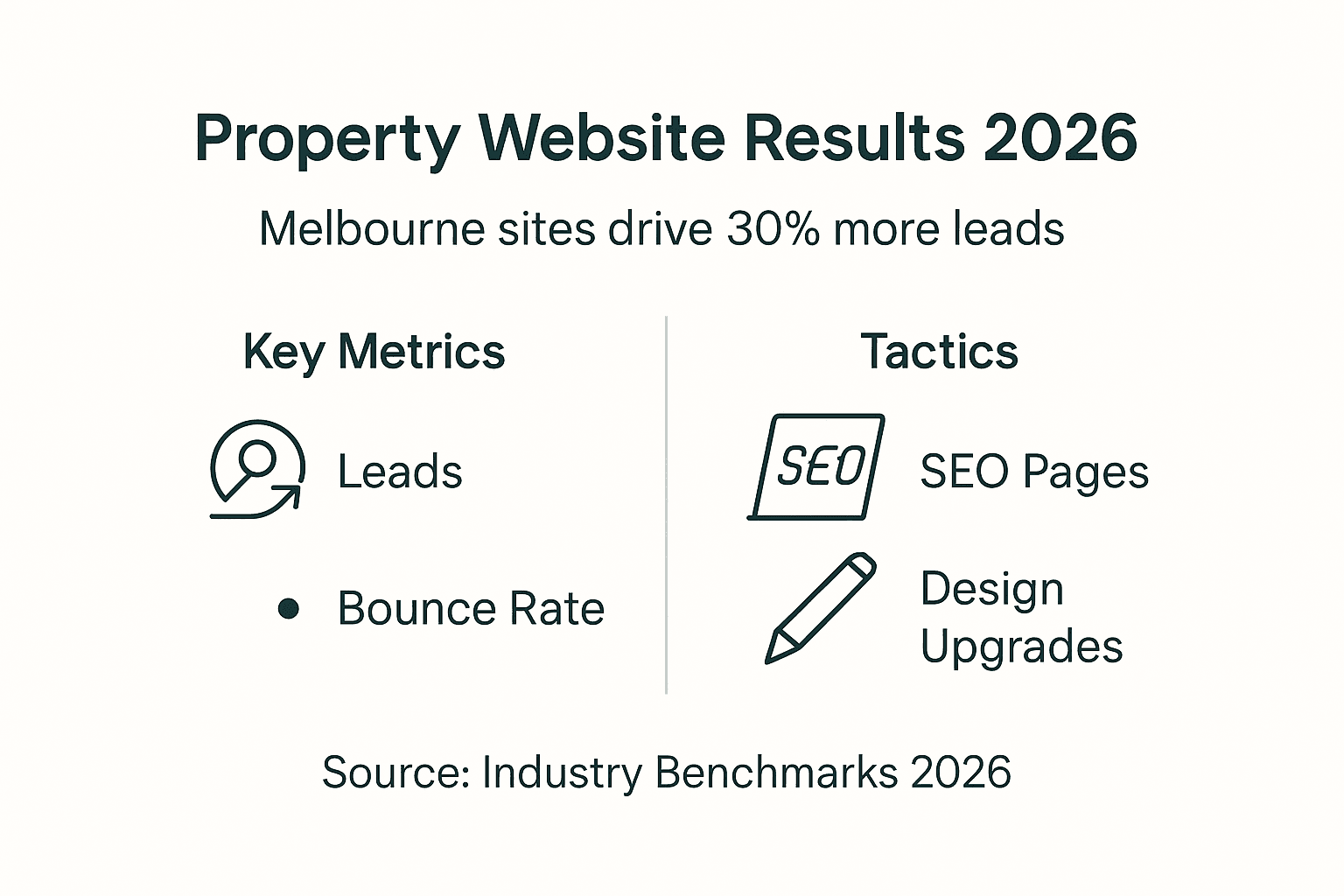
Typical project timelines span 4 to 12 weeks from kickoff to launch. Simple sites with template designs and minimal customization can go live in four to six weeks. Complex builds requiring custom development, extensive content creation, or third-party integrations need eight to twelve weeks. Add two to four weeks if you are creating content yourself rather than hiring writers.
Set realistic performance benchmarks based on industry standards. Aim for bounce rates under 40%, indicating visitors find your content relevant and engaging. Target conversion rates above 4.7% to match or exceed average property websites. Track average session duration, aiming for three minutes or longer as visitors browse multiple listings.
Expect gradual traffic and lead growth rather than overnight success. Well-optimized property websites typically see organic traffic increases of 30% within the first six months, with corresponding growth in qualified enquiries. SEO takes time to compound, so measure progress quarterly rather than weekly. For cost guidance, explore small business SEO pricing to understand ongoing investment requirements.
| Metric | Target Range | Timeframe to Achieve |
|---|---|---|
| Bounce Rate | Under 40% | 2-3 months post-launch |
| Conversion Rate | Above 4.7% | 3-4 months with optimization |
| Organic Traffic Growth | 30% increase | 6 months |
| Average Session Duration | 3+ minutes | 2-3 months post-launch |
Post-Launch SEO and Ongoing Website Maintenance
Your website launch marks the beginning, not the end, of your online marketing efforts. Schedule regular content updates targeting Melbourne property keywords your audience searches for. Publish new blog posts monthly covering local market trends, suburb profiles, or buying and selling advice. Fresh content signals to search engines that your site remains active and relevant.
Actively manage your Google Business Profile by responding to reviews, posting weekly updates, and adding new photos regularly. Engage with your community through posts about open houses, new listings, or local events. This consistent activity improves your local search rankings and keeps your business top of mind for Melbourne property seekers.
Perform technical maintenance checks quarterly at minimum. Verify all pages load quickly, test forms to ensure they work properly, and fix any broken links immediately. Update your website platform, themes, and plugins to patch security vulnerabilities and maintain compatibility. Monitor uptime to catch and resolve server issues before they cost you enquiries.
Regular SEO updates and review management can increase organic traffic by 15-25% within 6 months. This sustained effort compounds over time, continuously improving your search rankings and lead generation. Consider professional support through small business SEO maintenance services, or use this website maintenance checklist and website management tools to handle tasks yourself systematically.
Professional Website Design & SEO Services for Melbourne Property Businesses
Building an effective property website requires technical expertise, local market knowledge, and ongoing optimization. Troov Marketing specializes in creating fast, modern websites for Melbourne small businesses, designed specifically to support local SEO from day one. We understand the property sector's unique challenges and build sites that turn visitors into enquiries.
Our integrated approach combines web design with search-friendly structure, Google Business Profile optimization, and ongoing local SEO support. We focus on strong foundations rather than quick fixes, ensuring your website grows sustainably alongside your business. From mobile responsiveness to conversion optimization, we handle the technical details so you can focus on serving clients.
Explore our small business web design services tailored for Melbourne property businesses. Work with local SEO experts in Melbourne who understand your market. Discover how to implement website design and local SEO solutions that deliver measurable results. Contact Troov Marketing today to build a website that consistently generates qualified leads and grows your property business.
FAQs on Designing Property Websites for Melbourne Small Businesses
How long does it take to build a property website tailored for Melbourne clients?
Most property websites take between 4 and 12 weeks from initial planning to launch. Simple sites using templates with basic customization can be ready in four to six weeks. Complex projects requiring custom development, advanced search features, or extensive content creation need eight to twelve weeks. Timeline depends heavily on how quickly you provide content, images, and feedback during the design process.
What are the most important SEO elements for local property websites?
Consistent NAP information across all pages, optimized Google Business Profile, and dedicated landing pages for each Melbourne suburb you serve form the foundation. Add schema markup to property listings for enhanced search appearance. Focus on mobile responsiveness and page speed, as these directly impact both user experience and search rankings. For comprehensive strategies, review local SEO strategies proven effective for Melbourne businesses.
How often should I update my property website content to stay competitive?
Publish new content at least monthly to maintain search engine visibility and demonstrate market expertise. Update property listings immediately as they become available or sell. Refresh suburb landing pages quarterly with current market data and local insights. Regular updates signal to both search engines and visitors that your business remains active and authoritative in the Melbourne property market.
Can I manage my property website updates myself or should I hire professionals?
You can handle basic updates like adding new listings, posting blog content, or updating contact information using WordPress or similar platforms. However, technical tasks like SEO optimization, speed improvements, security updates, and design changes typically require professional expertise. Many small businesses balance both approaches, managing daily content while outsourcing technical maintenance. Use this website launch checklist to assess which tasks you can confidently handle yourself.
What is a realistic conversion rate for a small Melbourne property website?
Property websites average a 4.7% conversion rate overall, with organic search traffic converting at approximately 3.2%. Well-optimized sites targeting Melbourne audiences can exceed 5% through strategic UX design, clear calls-to-action, and simplified enquiry processes. Track your rate monthly by dividing total enquiries by total visitors, then implement continuous improvements to steadily increase this metric over time.