
Customers expect a smooth, intuitive website experience when searching for local services around Melbourne. For tradespeople like electricians and plumbers, the right user experience means more than just good looks—it helps build trust and makes it easier for potential clients to find and book your services. By focusing on meaningful digital interactions and clear navigation, your website can stand out in local search results and turn visitors into loyal customers.
Table of Contents
- Defining User Experience Design for Websites
- Key Elements of Effective UX for Small Businesses
- How UX Impacts Local Search and Enquiries
- Common UX Mistakes on Local Business Sites
- Practical Steps to Improve Your Website's UX
Key Takeaways
| Point | Details |
|---|---|
| User-Centric Design | Effective UX design prioritises user needs, ensuring that digital experiences are intuitive, engaging, and meaningful. |
| Collaboration Across Disciplines | Successful UX outcomes result from integrating insights from engineering, marketing, graphic design, and interface design for holistic solutions. |
| Ongoing User Testing | Regularly conducting user testing and gathering feedback is essential for continuously improving website performance and user satisfaction. |
| Avoiding Common Pitfalls | Local businesses should focus on maintaining consistent branding, intuitive navigation, and mobile responsiveness to enhance user experience. |
Defining User Experience Design for Websites
User Experience (UX) Design represents a sophisticated, multidisciplinary approach to creating digital experiences that seamlessly connect businesses with their audience. At its core, UX design goes far beyond mere visual aesthetics, focusing instead on crafting meaningful interactions that address user needs, emotions, and expectations.
The concept emerged in the 1990s as a holistic framework for understanding how users interact with digital systems. User interactions transcend simple usability, encompassing three critical experience dimensions:
- Ergonomic experiences: Physical comfort and ease of interaction
- Cognitive experiences: Mental processing and understanding
- Emotional experiences: Feelings and psychological responses
For local businesses, UX design isn't just a technical exercise—it's about creating digital environments that feel intuitive, welcoming, and aligned with customer expectations. Meaningful digital experiences involve understanding user perceptions across multiple interaction points, from website navigation to service booking processes.
Successful UX design requires a collaborative approach, integrating insights from multiple disciplines:
Here is a summary of how UX disciplines contribute to effective website design for local businesses:
| Discipline | Role in UX Design | Typical Outcome |
|---|---|---|
| Engineering | Ensures technical reliability | Fast, error-free performance |
| Marketing | Targets ideal customers | Improved engagement rates |
| Graphic Design | Builds visual identity | Strong brand recognition |
| Interface Design | Optimises user interaction | Seamless navigation flow |
- Engineering principles for technical functionality
- Marketing strategies for audience targeting
- Graphic design for visual communication
- Interface design for smooth interactions
The ultimate goal of UX design extends beyond technical performance—it aims to create digital experiences that not only solve problems but also generate genuine user satisfaction and emotional connection.
Pro tip: Regularly conduct user testing and gather feedback to continuously refine your website's user experience and address evolving customer needs.
Key Elements of Effective UX for Small Businesses
Designing an exceptional user experience (UX) for small business websites requires a strategic approach that balances user needs with business objectives. Effective UX involves understanding core business processes and creating digital experiences that are both intuitive and purposeful.
The UX design framework comprises five critical elements that guide the development of a meaningful digital experience:
- Strategy: Defining clear user and business goals
- Scope: Determining essential features and content
- Structure: Organising information and interaction pathways
- Skeleton: Shaping navigation and information design
- Surface: Crafting visual design and aesthetic elements
For small businesses in Melbourne, UX design isn't just about looking good—it's about creating functional, user-friendly digital interfaces that convert visitors into customers. This requires a comprehensive understanding of user behaviours, preferences, and pain points.
Successful UX implementation involves several key practices:
- Conduct regular user research and testing
- Create detailed user personas
- Develop wireframes and prototypes
- Implement iterative design improvements
- Continuously gather and incorporate user feedback
The goal is to design websites that are not just visually appealing, but also highly functional, easy to navigate, and aligned with the specific needs of your target audience.

Pro tip: Invest time in face-to-face user testing to gain deeper insights into how potential customers interact with your website and identify areas for improvement.
How UX Impacts Local Search and Enquiries
User experience (UX) plays a pivotal role in determining how potential customers discover and interact with local business websites. User interactions significantly influence search behaviours by directly impacting how easily people find and engage with local services.
The critical UX factors that drive local search performance include:
- Usability: Creating intuitive navigation paths
- Accessibility: Ensuring easy information discovery
- Responsiveness: Delivering fast, mobile-friendly experiences
- Clear Information: Presenting relevant details transparently
- Search Functionality: Enabling quick, precise enquiry mechanisms
For Melbourne small businesses, effective UX design transforms websites from mere online brochures into dynamic customer engagement platforms. This means designing interfaces that not only look appealing but also guide visitors seamlessly towards making enquiries or bookings.
Successful local business websites focus on eliminating potential barriers to user interaction:
- Simplify contact forms
- Provide clear call-to-action buttons
- Optimise mobile responsiveness
- Include location-specific information
- Display transparent pricing and service details
By reducing technical barriers and creating smooth user journeys, businesses can significantly increase their chances of converting website visitors into actual customers.
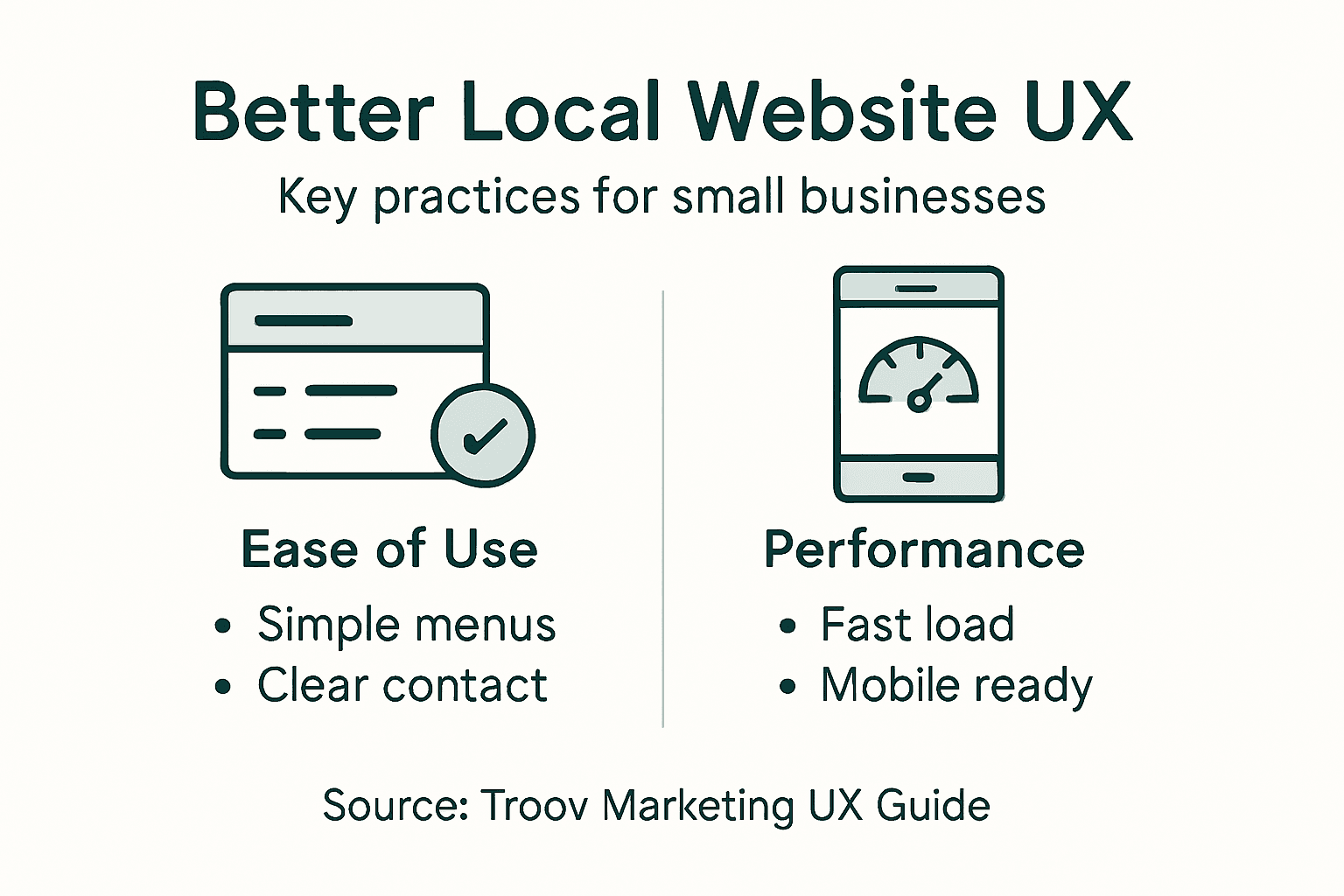
Pro tip: Conduct regular user testing to identify and remove any friction points in your website's enquiry process that might discourage potential customers from reaching out.
Common UX Mistakes on Local Business Sites
Local business websites often undermine their own success by committing critical user experience (UX) errors that drive potential customers away. UX mistakes can significantly erode website credibility and discourage visitors from making enquiries.
The most prevalent UX mistakes that Melbourne small businesses typically make include:
- Inconsistent Design: Misaligned branding and visual elements
- Confusing Navigation: Complex, non-intuitive menu structures
- Poor Mobile Responsiveness: Websites that don't adapt to different devices
- Slow Loading Times: Pages that take too long to render
- Overwhelming Information: Cluttered layouts with excessive content
These design missteps create significant barriers between businesses and potential customers. A poorly designed website can instantly communicate unprofessionalism, causing visitors to lose trust and seek alternatives within seconds.
The table below compares the impact of common UX mistakes versus best practices for Melbourne businesses:
| Aspect | Common Mistake Example | UX Best Practice |
|---|---|---|
| Branding Consistency | Mixed fonts and colours | Unified visual style |
| Navigation | Hidden or complex menus | Clear, straightforward menus |
| Mobile Experience | Unreadable on mobile | Fully responsive layout |
| Page Speed | Slow loading images | Optimised, fast-loading media |
| Information Clarity | Dense, cluttered content | Concise, focused messaging |
To avoid these common pitfalls, local businesses should focus on:
- Maintaining consistent visual branding
- Simplifying site navigation
- Optimising mobile performance
- Improving page loading speeds
- Presenting clear, concise information
Successful websites prioritise user experience by creating clean, intuitive interfaces that guide visitors effortlessly towards taking action, whether that's making a booking, sending an enquiry, or purchasing a service.
Pro tip: Regularly test your website on multiple devices and ask impartial users to navigate it, providing honest feedback about their experience.
Practical Steps to Improve Your Website's UX
Improving your local business website's user experience requires a strategic and methodical approach that goes beyond simple aesthetic adjustments. Enhancing website usability involves multiple critical considerations that directly impact how potential customers interact with your digital presence.
Key strategic areas for UX improvement include:
- Site Speed: Optimising page loading times
- Navigation: Creating intuitive menu structures
- Mobile Responsiveness: Ensuring seamless device adaptability
- Content Clarity: Presenting information concisely
- Accessibility: Supporting users with diverse needs
Local businesses must focus on creating websites that not only look professional but also function effortlessly across different devices and user scenarios. This means developing interfaces that anticipate and smoothly guide user interactions.
Practical implementation steps involve:
- Conduct comprehensive usability testing
- Analyse user interaction data
- Simplify navigation pathways
- Optimise images and multimedia content
- Implement clear call-to-action buttons
- Ensure consistent visual branding
Successful UX design transforms websites from mere digital brochures into dynamic, engaging platforms that effectively communicate your business's value and encourage direct customer interaction.
Pro tip: Schedule quarterly user experience audits to continuously refine and improve your website's performance and user engagement.
Elevate Your Local Business Website with Expert UX Design
Struggling with confusing navigation or slow site performance on your local business website causes frustration for potential customers and lost enquiries. This article highlights how critical user experience design is for creating websites that are intuitive, fast, and perfectly aligned with user expectations across Melbourne’s competitive market. Issues like poor mobile responsiveness and overwhelming layouts cost valuable trust and visibility that your business cannot afford.
At Troov Marketing, we specialise in building fast, modern websites designed specifically for small and local businesses. We focus on the fundamentals of UX such as clear structure, responsive design and search-friendly site architecture to turn your visitors into loyal customers. Whether you need a site that supports local SEO from day one or ongoing optimisation to grow with your business, our team delivers websites that address the exact pain points and usability needs discussed here.
Ready to transform your online presence with a website your customers actually enjoy using Visit Troov Marketing’s website design solutions today and take the first step towards a seamless digital experience that drives real results. Don’t let poor UX hold back your business growth. Act now and build a reliable website that works for you every day.
Frequently Asked Questions
What is User Experience Design (UX) for websites?
User Experience Design (UX) involves creating digital experiences that effectively connect businesses with their audiences, focusing on user needs, emotions, and expectations beyond just visual aesthetics.
How can UX design impact local business websites?
Effective UX design enhances usability, accessibility, and responsiveness, which helps potential customers discover and engage with local services more easily, ultimately driving higher conversion rates.
What common UX mistakes should local businesses avoid?
Common mistakes include inconsistent design, confusing navigation, poor mobile responsiveness, slow loading times, and overwhelming information. Avoiding these can enhance user trust and interaction.
What are some practical steps to improve a local business website's UX?
To improve UX, local businesses should conduct usability testing, optimise site speed, simplify navigation, ensure mobile responsiveness, present clear content, and maintain consistent visual branding.