

TL;DR:
- Small Melbourne businesses face significant cyber threats like phishing, ransomware, and credential breaches.
- Website security builds customer trust, improves SEO, and prevents costly breaches.
- Implementing basic security measures is cost-effective and crucial for business continuity.
43% of cyberattacks target small businesses, yet many Melbourne owners still believe hackers only go after big corporations. That assumption is costly. Your website is your digital storefront, and if it's not secure, you're putting your customers' data, your reputation, and your revenue at risk. This guide breaks down the real threats facing local businesses, explains how security directly affects customer trust and search visibility, and gives you practical steps to protect your site without needing a dedicated IT team or a large budget.
Table of Contents
- The risks Melbourne small businesses face online
- How website security builds customer trust and credibility
- Essential website security strategies for Melbourne businesses
- Common pitfalls, edge cases and compliance essentials
- Why prioritising basics beats chasing expensive security solutions
- Make website security simple with Melbourne experts
- Frequently asked questions
Key Takeaways
| Point | Details |
|---|---|
| Small businesses are major cyber targets | Most cyberattacks focus on smaller firms, so strong website protection is non-negotiable. |
| Security equals trust and sales | Customers will avoid your business after a breach—protecting your site means protecting your reputation and profits. |
| Affordable measures deliver huge ROI | Simple steps like MFA, updates, and SSL can block most attacks and cost much less than recovering from a breach. |
| Compliance prevents legal headaches | Meeting privacy and accessibility laws is vital for Melbourne businesses to reduce risk and build credibility. |
The risks Melbourne small businesses face online
Cybercrime is not a distant problem reserved for multinational companies. It's happening to local trades, professional services, and retail shops right here in Melbourne. The three most common threats are phishing attacks (deceptive emails that trick staff into handing over login details), ransomware (malicious software that locks your files until you pay), and credential breaches (where stolen usernames and passwords are used to access your accounts).
These aren't rare events. Small businesses and 60% closure rates after a serious breach tell a sobering story about what's at stake.
"60% of small businesses affected by a serious cyberattack close within six months."
The financial damage alone is significant. Breach costs range from $120,000 to $4.45 million depending on the scale and type of incident. For a small Melbourne business, even the lower end of that range can be catastrophic. Beyond money, there's the damage to your reputation. Customers who feel their data wasn't protected rarely return, and word spreads fast in local communities.
Here's a snapshot of the most common threats and their potential impact:
| Threat type | How it happens | Potential impact |
|---|---|---|
| Phishing | Fake emails targeting staff | Credential theft, data loss |
| Ransomware | Malicious downloads or links | Business shutdown, ransom payments |
| Credential breach | Reused or weak passwords | Unauthorised account access |
| SQL injection | Exploiting website form inputs | Customer data exposure |
Most Melbourne small businesses spend between $1,800 and $5,400 annually on technology, which includes security tools. That might sound like a lot, but it's a fraction of what a single breach could cost you. Understanding the Australian cyber threat landscape gives you a clearer picture of where local businesses are most vulnerable.
Common entry points attackers use include:
- Outdated website plugins or software
- Weak or reused passwords across multiple accounts
- No multi-factor authentication (MFA) on admin logins
- Unsecured contact forms or checkout pages
- Lack of regular backups
Getting familiar with security basics for Melbourne businesses is the first step toward closing these gaps. You should also review Victoria compliance strategies to understand your legal obligations as a local business owner. The local SEO benefits of secure websites are another strong reason to act now, since Google actively favours secure sites in search rankings.
How website security builds customer trust and credibility
When a potential customer lands on your website, they make a judgement call within seconds. One of the biggest trust signals they look for, often without realising it, is whether your site is secure. A missing padlock icon, an expired SSL certificate, or a browser warning that the site is "not secure" can send visitors straight to a competitor.

55% of customers are less likely to do business with a brand that has experienced a data breach. That's more than half your potential customers gone, simply because your site wasn't properly protected.
Security features that directly build trust include:
- HTTPS and SSL certificates: The padlock in the browser bar tells customers their connection is encrypted.
- A clear privacy policy: Customers want to know how you handle their data before they hand it over.
- Trust seals: Verified security badges from recognised providers reassure visitors during checkout or enquiry.
- Visible contact information: A real address and phone number signal legitimacy alongside technical security.
Here's how a secure site compares to an insecure one across key business metrics:
| Factor | Secure website | Insecure website |
|---|---|---|
| Customer trust | High, padlock visible | Low, browser warnings shown |
| Google ranking | Favoured in search results | Penalised or flagged |
| Conversion rate | Higher, customers feel safe | Lower, visitors leave quickly |
| Repeat business | More likely | Unlikely after a breach |
Security also plays a direct role in search engine optimisation (SEO). Google has used HTTPS as a ranking signal since 2014, and its algorithms continue to reward sites that demonstrate strong security practices. A professional web design trust boost comes partly from these technical foundations being built correctly from the start.
Keeping your site updated is equally important. Outdated themes, plugins, and software create vulnerabilities that attackers exploit. Regular website updates protect both your security and your SEO performance at the same time. If you're unsure whether your current site meets modern standards, reviewing why modern websites matter for Melbourne businesses will give you a clear benchmark.
Essential website security strategies for Melbourne businesses
The good news is that most cyberattacks on small businesses succeed because of basic, preventable mistakes. You don't need enterprise-level software or a full-time IT team to protect your site. A focused set of fundamentals will block the vast majority of threats.
Here's a practical checklist to work through:
- Install an SSL certificate and ensure your site loads on HTTPS. Most hosting providers include this for free.
- Use strong, unique passwords for every account. A password manager makes this easy to maintain.
- Enable multi-factor authentication (MFA) on your website admin, email, and any cloud tools you use. MFA blocks 99.9% of automated account takeover attempts.
- Update your CMS, plugins, and themes regularly. Most breaches exploit known vulnerabilities that patches already fix.
- Set up automated backups stored in a separate location from your main server. Daily backups are ideal.
- Install a Web Application Firewall (WAF). This filters malicious traffic before it reaches your site.
- Review user access permissions. Only give admin access to people who genuinely need it.
- Check your secure headers. These browser-level settings prevent common attacks like cross-site scripting.
Pro Tip: Free tools like Wordfence (for WordPress) and Cloudflare's free plan provide solid baseline protection. Combined with MFA and regular updates, these free resources block the majority of common attacks without any cost.
The security investment ROI for small businesses is strong. Spending 10 to 20% of your IT budget on security measures is widely considered cost-effective when you weigh it against the average breach cost. For most Melbourne SMEs, basic protections cost as little as $50 per month. That's a straightforward trade-off. You can explore website management tools that bundle security features alongside performance monitoring to simplify the process. The complete website checklist from Troov Marketing also covers security essentials alongside design and SEO foundations.
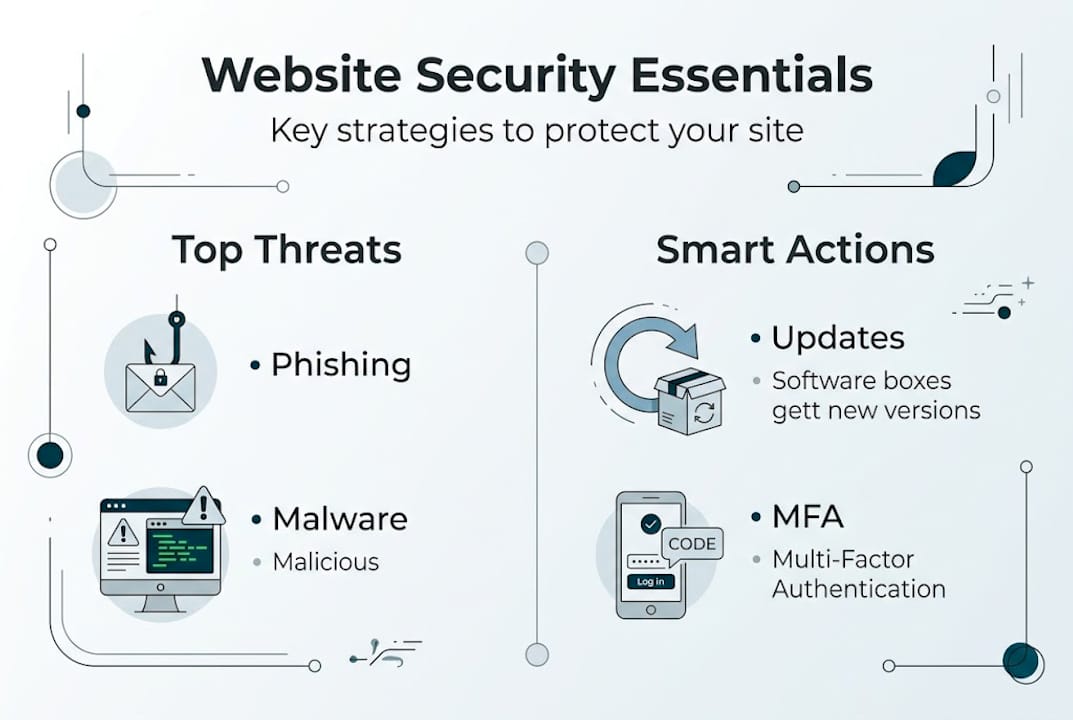
For a deeper look at the fundamentals, the security basics for Melbourne guide walks through each step in plain language.
Common pitfalls, edge cases and compliance essentials
Even business owners who take security seriously can leave gaps without realising it. One of the most common issues is scope drift, where you secure your main website but forget about connected systems like your point-of-sale (POS) terminal, cloud storage, customer relationship management (CRM) software, or booking tools. Scope drift and credential reuse are two of the leading causes of breaches in small businesses that thought they were already protected.
Here are the most common pitfalls and how to avoid them:
- Reusing passwords across platforms: One compromised account can unlock everything. Use a password manager and unique credentials for every service.
- Ignoring third-party integrations: Plugins, payment gateways, and booking widgets all need to be kept updated and reviewed for security.
- Skipping backup testing: Having a backup means nothing if it doesn't restore correctly. Test your backups every quarter.
- No incident response plan: If something goes wrong, knowing exactly what to do in the first hour matters enormously. Write a simple plan and keep it somewhere accessible.
- Forgetting mobile and remote access: If your team accesses the business website or admin tools from personal devices, those devices need to be secured too.
Pro Tip: Document your security processes in a simple one-page checklist and review it every three months. This keeps your team accountable and ensures nothing slips through the cracks as your business grows.
Compliance is another area many Melbourne business owners overlook. Under Australian privacy law, businesses that collect personal information have legal obligations around how that data is stored, used, and protected. Failing to meet these obligations can result in fines and reputational damage on top of any breach-related losses. The Victoria compliance steps guide covers what local businesses need to know. You should also review privacy compliance strategies and consider accessibility and compliance as part of your broader website obligations. Understanding why small businesses lose more after breaches highlights just how important prevention is compared to recovery.
Why prioritising basics beats chasing expensive security solutions
There's a common misconception in the small business world that better security means spending more money. In reality, the fundamentals, done consistently, block between 80 and 90% of the attacks that target businesses like yours. Expensive enterprise tools won't help if your team is still reusing passwords or skipping software updates.
The cybersecurity budget tips that work best for small businesses focus on maintenance and process rather than technology spend. Australian privacy laws and local benchmarks matter more to your compliance and reputation than any flashy security platform. Keeping your Melbourne website security basics in order, running regular updates, enabling MFA, and maintaining reliable backups will save you thousands and, more importantly, keep your business running.
"Prevention is always cheaper than cure, especially for Melbourne SMEs."
The businesses that recover best from security incidents are the ones that had simple, documented processes in place before anything went wrong. Start there.
Make website security simple with Melbourne experts
Website security doesn't have to be overwhelming. At Troov Marketing, we build websites for Melbourne small businesses with security, speed, and local SEO baked in from the start. Whether you're starting fresh or improving an existing site, we make it straightforward. Explore our small business web design services to see how we approach secure, high-performing websites. Download our ultimate website checklist to audit your current site, and check out our website management tools guide for ongoing support. Your next step toward a more secure, trustworthy website starts here.
Frequently asked questions
How much does website security cost for small businesses in Melbourne?
Annual spending typically falls between $1,800 and $5,400 depending on your needs, with basic tools often available for less than $150 per month.
What is the most effective website security measure for small business owners?
Enabling multi-factor authentication alongside strong passwords blocks 99.9% of automated account takeover attempts, making them your most impactful first steps.
How do security breaches affect customer trust?
55% of customers are less likely to return to a brand after a breach, which directly damages your conversion rates and long-term credibility.
What website compliance laws should Melbourne SMEs follow?
Melbourne businesses must meet Victoria compliance obligations including Australian privacy law, data protection requirements, and accessibility standards to reduce legal risk and build customer trust.
Is prevention really cheaper than fixing breaches?
Yes. Basic preventative tactics block the majority of attacks, and the cost of prevention is a fraction of what breach recovery, lost customers, and reputational repair will cost your business.