

TL;DR:
- User experience encompasses visitors' feelings, perceptions, and behaviors from the moment they see your site.
- An iterative, human-centered design process improves website engagement, conversions, and local search results.
- Prioritizing genuine, mobile-friendly, and local-relevant UX builds trust and boosts Melbourne small business leads.
Your website might look sharp, but if visitors leave without contacting you, something is wrong. Many Melbourne small business sites invest heavily in visual design while overlooking how customers actually feel and behave when they land on a page. That disconnect costs real enquiries every single day. User experience design, often called UX design, is the discipline that bridges this gap. It shapes how visitors navigate your site, whether they trust you, and ultimately whether they pick up the phone. This guide explains what UX design actually is, how the process works, and what practical steps you can take right now to win more local business.
Table of Contents
- What is user experience design?
- The human-centred design process explained
- Why UX matters for your Melbourne business
- How to improve your website's UX: step by step
- A Melbourne perspective on UX: what most guides miss
- Next steps: level up your website's UX with expert help
- Frequently asked questions
Key Takeaways
| Point | Details |
|---|---|
| UX shapes outcomes | User experience design directly affects customer trust, engagement, and sales for local businesses. |
| Follow a proven process | A human-centred, iterative approach delivers ongoing improvements your Melbourne customers will notice. |
| Benchmark and test locally | Test with real Melbourne users and track bounce rate, task success, and usability scores for best results. |
| Great UX boosts SEO | Faster, more usable sites rise in Google, bring more visitors, and get more leads. |
What is user experience design?
Now that we've challenged surface-level design myths, let's clarify what "user experience" actually means in plain terms.
User experience is not just how your website looks. It covers everything a visitor thinks, feels, and does from the moment they arrive on your site to the moment they leave. The formal definition comes from an international standard: UX design is defined by ISO 9241-210 as a person's perceptions and responses resulting from the use and/or anticipated use of a product, system, or service.
"User experience encompasses a person's perceptions and responses resulting from the use and/or anticipated use of a product, system, or service." — ISO 9241-210
That word "anticipated" matters more than most people realise. It means your UX starts before a visitor even clicks your link. The moment someone sees your business in a Google search result, the experience has already begun. If your page title looks generic or your site is slow to load, they've already formed an impression.
UX versus usability: what's the difference?
Many business owners use these terms interchangeably. They're related, but not the same. Usability is specifically about whether users can complete tasks successfully and efficiently, such as finding your contact form or booking a service. UX is much broader, covering emotions, expectations, brand image, functionality, performance, and the full context of use, including who the user is, what they're trying to achieve, and where they are when they visit.
For a Melbourne tradie's website, usability might mean a customer can find your phone number in two clicks. UX goes further. It's whether they trusted your brand enough to make that call in the first place.
Core elements that influence UX on your site:
- Emotion: How does your site make visitors feel? Confident, confused, or cautious?
- Expectation: Does the page deliver what the Google listing promised?
- Brand image: Do your visuals and copy reflect your real-world reputation?
- Functionality: Do buttons, forms, and links work as expected?
- Performance: Does the page load quickly, especially on mobile?
- Context of use: Are local Melbourne customers finding you on a phone, while on the go?
For more practical context on how these elements apply locally, the UX for local businesses guide explores how small Melbourne businesses can put these principles to work in a real, non-technical way.
The human-centred design process explained
With user experience explained, the next step is understanding the proven process behind successful UX design.
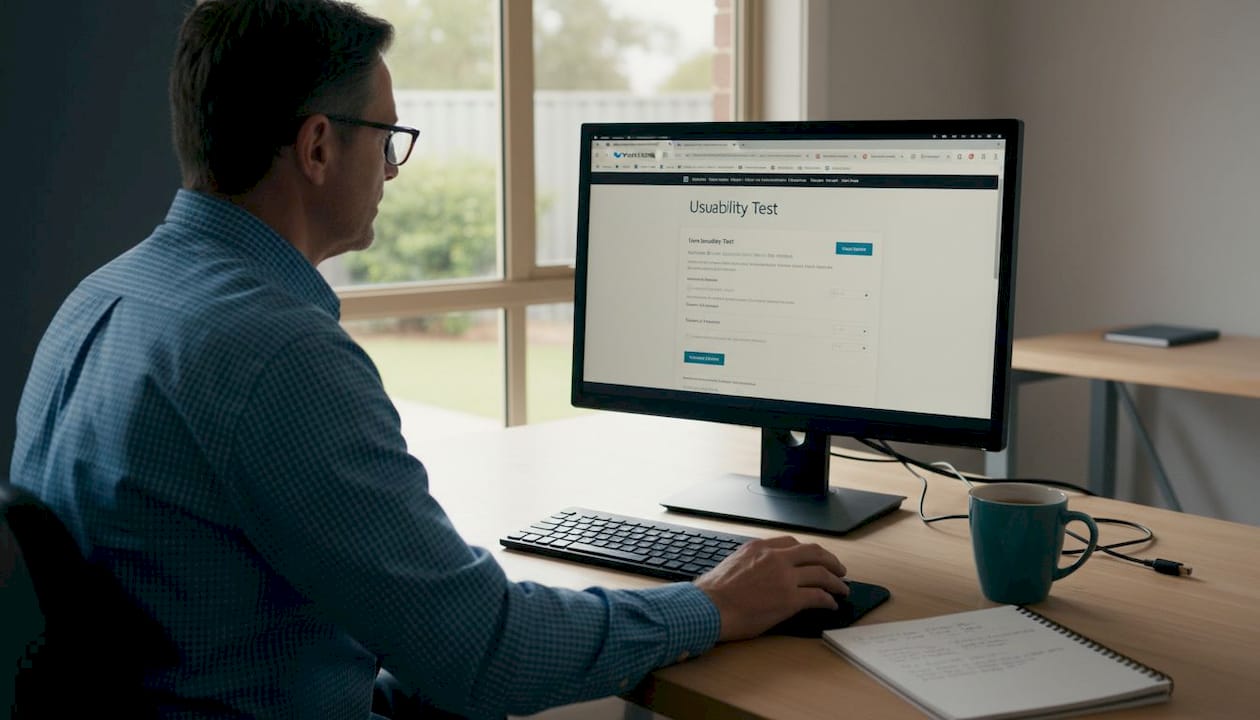
The gold standard for UX work follows what ISO 9241-210 calls the human-centred design process, an iterative cycle that repeats until your usability and UX goals are genuinely met. It sounds technical, but the logic is straightforward and every step maps directly to outcomes you care about: more leads, fewer confused visitors, and better local search performance.
The human-centred design process, step by step:
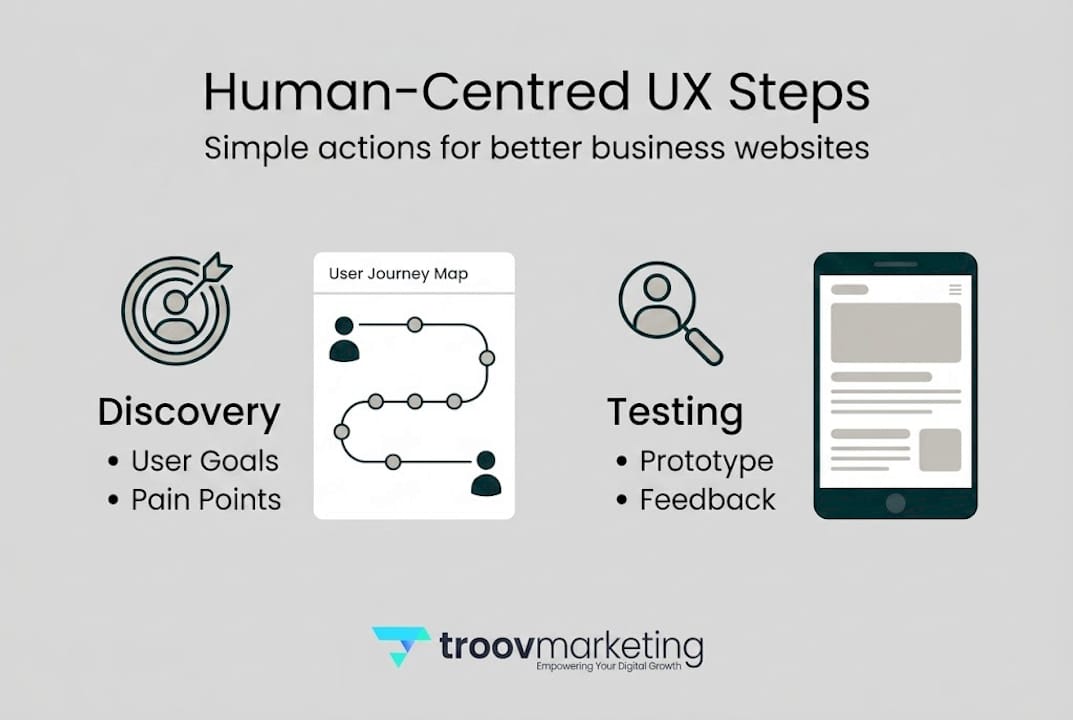
- Plan the process. Identify your goals, timelines, and the resources you have. For a small Melbourne business, this might mean deciding which pages to focus on first, usually your homepage and service pages.
- Analyse your users. Research who visits your site, what they need, and what frustrates them. Think about your typical customer. Are they searching on mobile while on a lunch break in the CBD? Are they an older homeowner in the eastern suburbs looking for a reliable plumber?
- Specify user requirements. Translate what you've learned into clear needs. Your customers might need a fast-loading mobile site with a prominent phone number and suburb-specific service information.
- Prototype solutions. Create rough versions of new layouts, copy, or navigation. These don't need to be polished. A simple wireframe or even a hand-drawn sketch lets you test ideas cheaply before committing.
- Evaluate with real users. Put your prototype in front of actual people and watch how they interact with it. Their confusion is your data.
- Repeat. Refine based on what you learn and test again. The cycle continues until your benchmarks are consistently met.
Traditional design vs. human-centred UX design:
| Factor | Traditional design | Human-centred UX design |
|---|---|---|
| Focus | Visual appeal | User behaviour and outcomes |
| Input | Designer's judgement | Real user feedback and testing |
| Process | Linear, one-off | Iterative, ongoing |
| Success metric | Client approval | Task completion, conversions |
| Risk of failure | Higher | Lower through early testing |
Pro Tip: Even a quick five-minute conversation with one of your regular customers about your website will reveal issues no analytics tool can spot. Ask them to find your contact page while you watch. You'll be surprised what trips people up.
This iterative approach is exactly why a thoughtful website redesign process delivers better results than simply refreshing your colour scheme or swapping out stock photos.
Why UX matters for your Melbourne business
Knowing the process is one thing. Here's why it pays to genuinely care about UX, especially if you're competing for local customers in Melbourne.
UX improvements have been shown to boost conversions by 200 to 400% on optimised sites that combine fast loading, intuitive navigation, and mobile responsiveness with structured local SEO.
That's a significant number. And it's not reserved for big brands with large budgets. It applies to any business willing to make evidence-based improvements to how their site works for real people.
Melbourne customers have specific expectations.
Melburnians are digitally active, mobile-first, and quick to move on if something doesn't work. They expect your site to load fast, answer their question immediately, and make it easy to contact you. They're often searching locally, using phrases like "electrician in Fitzroy" or "accountant Brunswick," which means your content and structure need to reflect real local intent.
Key UX benchmarks to aim for:
- Bounce rate below 40%. If more than 40% of visitors leave after one page, your UX or content isn't meeting their needs.
- Task success rate above 80%. Can at least 8 in 10 users complete a core task, like finding your service area or submitting a contact form?
- System Usability Scale (SUS) score above 68. The SUS is a standardised 10-question survey that measures how usable your site feels. A score of 68 is considered average; you want to be above it.
Top UX benefits for Melbourne small businesses:
- More phone calls and form submissions from local visitors
- Lower bounce rates, meaning visitors actually explore your site
- Higher trust from professional, well-structured pages
- Better Google rankings through improved engagement signals
- Stronger word-of-mouth as customers share helpful, easy-to-use experiences
The connection between UX and SEO is real and measurable. Google tracks how users interact with search results and your site. A visitor who clicks your link and immediately bounces signals to Google that your page wasn't helpful. Better UX keeps people on your site longer and encourages them to take action. For practical guidance, the local website design tips guide walks through Melbourne-specific design decisions that directly support both UX and rankings.
If you want to go deeper on search visibility, learning how to optimise for Melbourne search is a natural next step alongside UX work.
How to improve your website's UX: step by step
Now let's turn insight into action with practical steps your business can take this month, without needing a large budget or a design degree.
Step-by-step UX improvement process for Melbourne SMBs:
-
Audit your current site. Start with Google Analytics or a free tool like Microsoft Clarity to see where users drop off, which pages have high bounce rates, and what devices they're using. Combine this with a heuristic review, a structured checklist of known UX principles to assess against. Look at your navigation, load speed, mobile layout, and how clearly your services and location are communicated.
-
Talk to real users. Recruit five to ten people who match your typical customer profile. Ask them to complete a simple task on your site while you observe. Don't guide them. Their stumbles are the most valuable thing you'll learn. Applying iterative human-centred design with this kind of local user input is what separates good sites from great ones.
-
Prioritise your fixes. You don't need to fix everything at once. Rank issues by impact. A broken mobile menu or a missing phone number on the homepage will cost you far more leads than a suboptimal colour choice in the footer.
-
Prototype quick changes. For small businesses, this often means drafting new headline copy, restructuring a service page, or simplifying navigation before making any changes live. Show drafts to trusted customers before publishing.
-
Test and measure. After making changes, track your bounce rate, session duration, and conversion events in analytics. Give it four to six weeks before drawing conclusions. Then refine and repeat.
Pro Tip: Testing with even five to ten locals can expose usability roadblocks you'd never find on your own. Consider running a short test at your next networking event or asking a few regulars at your shopfront to spare five minutes.
Tools worth trying include Google Analytics 4 for traffic data, Microsoft Clarity for session recordings, and UsabilityHub for quick remote testing. None of these require technical expertise to get started.
Good navigation is often one of the fastest wins. Clear, simple menus that reflect how customers think, not how you've organised your internal services, make a noticeable difference. The Melbourne navigation best practices guide covers this in detail with local examples. And once users are on your site, writing better calls to action is one of the highest-value improvements you can make to turn visitors into genuine enquiries.
A Melbourne perspective on UX: what most guides miss
Before you dive into action, consider this local perspective to avoid common missteps.
Most UX guides are written with global audiences in mind. They draw on examples from San Francisco startups or London agencies, which is fine for broad principles but can lead Melbourne small businesses astray when it comes to the specifics.
The biggest trap we see is businesses copying a template that looks impressive but doesn't connect with local customers. Melbourne audiences respond to genuine, direct communication. They notice when a site feels corporate and impersonal. Overloaded homepages with vague slogans and stock photography of people shaking hands are a quick way to lose a local's trust.
The second major misstep is neglecting mobile for local searchers. Most Melbourne customers finding a tradie, café, or professional service will be on a phone. If your mobile experience is clunky, you've already lost them before they've read a word.
Tone matters too. The language on your site should sound like you, not a marketing brochure. Melbourne customers respond to warmth, clarity, and a bit of straight-talking honesty.
The best user experience is local, practical, and tested. Not just pretty.
Pro Tip: Run a quick in-person UX test at your next networking breakfast. Hand someone your phone, ask them to find your services page, and watch what happens. Ten minutes of real observation is worth hours of guesswork.
For broader context on reaching local customers effectively, exploring local search marketing will show you how UX and visibility work together in the Melbourne market.
Next steps: level up your website's UX with expert help
Ready to put these strategies to work? UX and local SEO are deeply connected. A site that's easy to use, fast to load, and clearly structured for Melbourne searchers will outperform a prettier but poorly planned competitor every time.
At Troov Marketing, we build websites for Melbourne small businesses that are designed with real users in mind from day one. Whether you're starting fresh or improving an existing site, our approach covers structure, speed, and local search foundations together. Explore our Melbourne small business web design options, download our free website checklist, or read our guide on how to combine website design and local SEO to get the full picture.
Frequently asked questions
What's the key difference between user experience and usability?
User experience focuses on the holistic feelings and perceptions across all interactions with your site, while usability is task-focused, measuring how efficiently and successfully users can complete specific actions. Think of UX as the whole journey and usability as individual steps along it.
How does better UX affect my Google ranking?
UX-optimised sites that are fast, intuitive, and mobile-friendly rank higher in local Google results, and the same improvements that satisfy users also satisfy Google's ranking signals. Better engagement on your site directly supports better local visibility.
How should Melbourne small businesses test their website's UX?
Recruit five to ten typical Melbourne customers for hands-on site tests, observe how they navigate without prompting, and use analytics to identify where they drop off. Iterating based on real user testing is far more effective than guessing at fixes.
What's a good benchmark score for small business website UX?
Aim for a bounce rate below 40%, task success above 80%, and a System Usability Scale score above 68. These benchmarks give you a clear, measurable target to work toward with each round of improvements.